How to Manage Receipts for Small Business Owners: The Complete Guide
Learn how to manage receipts for small business, organize digital and paper records, and build a simple system for accurate tracking and compliance.
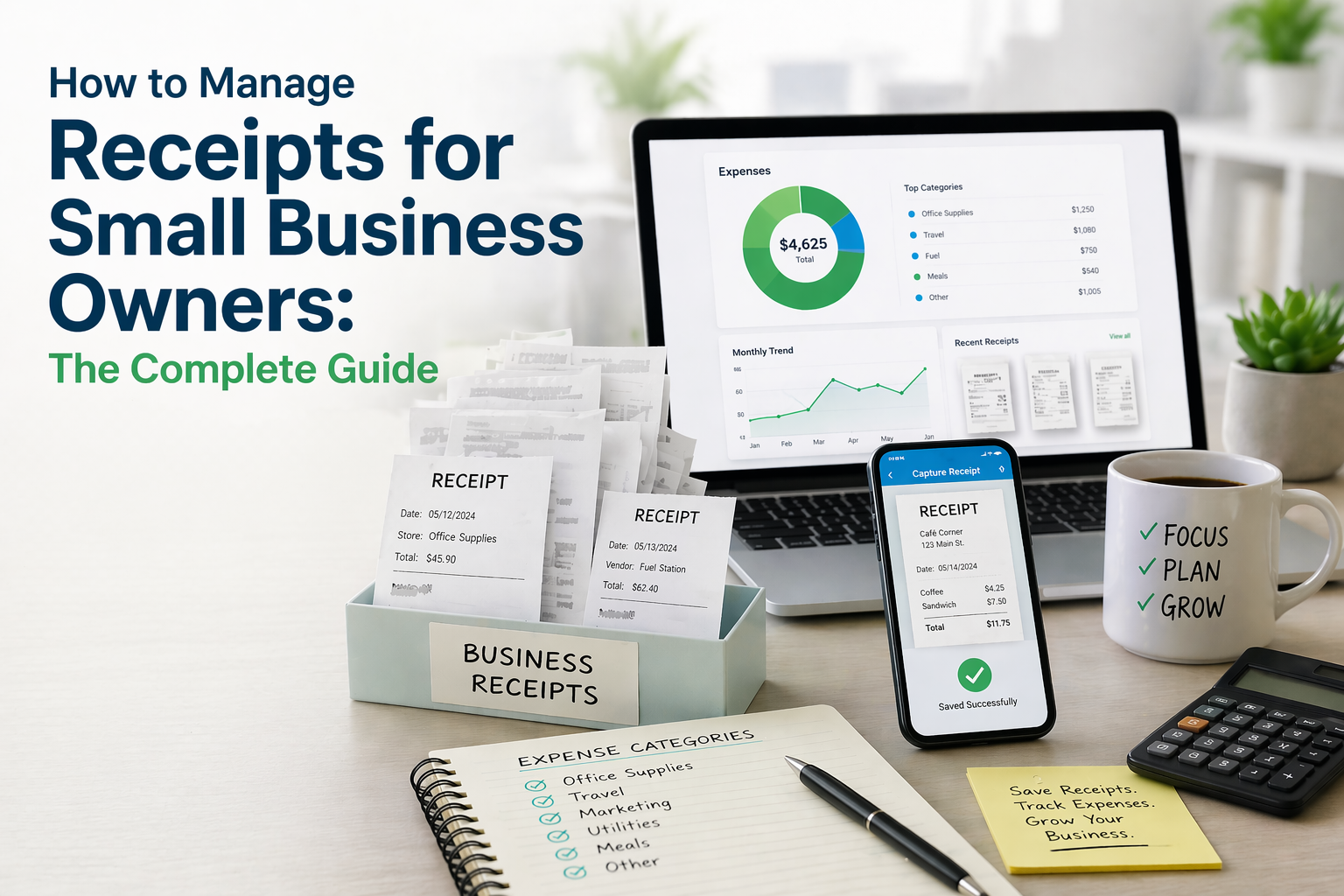
Small business owners know the stress of untangling receipts from a month of sales records. Receipts can be lost, damaged, scanned and sent in emails and are chaotic in their locations. Frustration is founded on the time lost, the missed deductions, and the financial qualitative damage.
The management of receipts is considered a painful experience. Receipt management systems can eliminate such pain and organize business for optimal operation. Painful management of receipts can be a thing of the past.
We aim in this guide to catalogue the systems currently in place for managing business receipts, the relevant and recent systems, and how to implement and integrate them in the business. It is for all small business owners, be it freelancers just starting out, or expansive and growing teams.
Here's what we'll cover:
- Why receipt management matters for small businesses
- Common challenges you're probably facing right now
- A step-by-step system to manage receipts like a pro
- The best tools and software to simplify everything
- Pro tips to keep your system running smoothly
Let's dive in.
Why Receipt Management Matters for Small Businesses
Let's be honest, receipt management probably isn't the reason you started your business. But it's one of those behind-the-scenes tasks that can make or break your financial health.
Here's why the management of receipts deserves your attention:
1. Financial Precision and Cash Flow Transparency
Receipts provide a glimpse of your cash outflow. When your receipts are chaotic and disorganized, you are flying in the dark. Digital tracking of your receipts enables you to understand the total expenses of your business at any given time and aids you in making the right financial decisions..
2. Preparedness for Audit and Compliance
You will need receipts as proof in the case of an audit and to defend a business expense. If they are organized, you will not need to do a last-minute search. You will be able to access them as quickly as you need them.
3. Recognition of Savings and Deductions
Receipts not processed and organized represent missed opportunities for tax deductions. Studies and surveys of small businesses suggest that disorganized expense tracking can lead to overpaying on taxes. This applies to each lunch meeting, software licenses, and mailing supplies.
4. Professional Respect
You will earn yourself a semblance of respect by running your business the right way from the beginning. When you hand over your organized financial information to your accountant, bookkeeper, or even prospective business partners, it's an indicator that you do business the proper way. On the contrary, disorganized receipts help present your business as organized and professional .
5. Value of Time
Receipt management is a tedious process, and on average, a small business owner spends several hours each month in a month. This is time that could have been better spent on serving customers and driving business growth.
Receipt management is challenging for small businesses. If any of these shortcomings are familiar to you, you are not in the minority.
Common Receipt Management Challenges Small Businesses Face
Before we get to the solution, let's acknowledge the real problems. If any of these sound familiar, you're not alone.
Paper Receipts Fading and Getting Lost
Many receipts are printed on thermal paper, which can fade over time sometimes within months depending on storage conditions . For example, receipts from business dinners in January may be blank by July.
Receipts are also subject to various elements (i.e. water, coffee, dirt, etc.),making them less reliable over time.
Related: This is one of the many reasons businesses are switching to digital — read more in our guide on Paper Receipts vs Digital Receipts: Environmental Impact.
Receipts Scattered Across Multiple Channels
Modern business expenses don't come from one place. You've got:
- Paper receipts from in-store purchases
- Email receipts from online orders and SaaS subscriptions
- PDF invoices from vendors and contractors
- In-app receipts from platforms like Uber, Amazon, and DoorDash
Without a centralized system, your electronic receipts and paper receipts live in completely different worlds — making it difficult to get a complete expense picture .
Human Error from Manual Data Entry
Manual data entry results in inevitable errors, like missing or mistyping an amount, entering the wrong date, duplicate entries, etc. These errors lead to an accountant's nightmare.
Poor Organization
Let's be honest. It’s the shoebox method. Receipts get thrown into a shoebox (or drawer, a random folder on your computer, etc.) and get dealt with later. Of course, later never comes, and tax time is a stressful disaster.
Time Lost Looking for Old Receipts
Need to find that receipt from a warranty claim or a vendor dispute that happened three months ago? If your system is disorganized, you could spend 30 or more minutes trying to find a single eReceipt or paper slip. Do this for every receipt, and you will have wasted an entire afternoon.
How to Manage Receipts for Small Business — Step by Step
Now for the good stuff. Here’s a practical 6-step framework for managing your business receipts efficiently. Follow this system, and significantly reduce the risk of losing receipts .
Step 1. Choose a Receipt Management System
The first and most important decision: how will you manage your receipts?
You have two broad options:
| Method | Pros | Cons |
| Manual (folders, spreadsheets, filing cabinets) | Low cost, simple to start | Time-consuming, error-prone, not scalable |
| Digital (receipt management software) | Automated, searchable, cloud-backed | Small learning curve, subscription cost |
For many small businesses, digital solutions are often the more efficient option. A good receipt management app can save significant time each month, helps minimize human error, and gives you instant access to any receipt from any device.
Step 2. Digitize All Paper Receipts Immediately
This is the golden rule: scan it the moment you get it.
The longer a paper receipt sits in your wallet or desk drawer, the higher the chance it gets lost, damaged, or faded. Modern receipt scan apps use OCR technology to:
- Capture an image of the receipt via your phone camera
- Automatically extract the merchant name, date, amount, and items
- Save it as a searchable digital receipt in your account
Pro tip: Make it a habit. Every time you make a purchase, it takes just a few seconds to scan the receipt right there in the store or at your desk. It becomes second nature within a week.
Step 3. Centralize All Digital Receipts
Paper receipts are only half the battle. What about the dozens of electronic receipts flooding your inbox every week?
Here's how to centralize everything:
For email receipts:
- Set up a dedicated email address (e.g., receipts@yourbusiness.com) and forward all purchase confirmations there
- Better yet, use a receipt management app that automatically pulls receipts from your email
For online purchases:
- Connect your frequently used platforms so receipts are “can be captured automatically”
- Download and upload PDF invoices from vendor portals
For in-app purchases:
- Export receipts from apps like Uber, Amazon Business, and others
- Forward eReceipts directly to your receipt management system
TThe goal is to create a single, centralized system. No more hunting through five email folders, two desk drawers, and a glove compartment.
Step 4. Categorize Receipts by Expense Type
Once your receipts are captured and centralized, it's time to organize them. Proper categorization helps turn a collection of receipts into more useful financial data.
Recommended expense categories for small businesses:
| Category | Examples |
| Office Supplies | Paper, pens, printer ink, desk accessories |
| Software & Subscriptions | SaaS tools, cloud storage, design apps |
| Meals & Entertainment | Client lunches, team meals |
| Travel & Transportation | Gas, flights, ride-shares, parking |
| Marketing & Advertising | Ad spend, print materials, sponsorships |
| Equipment & Maintenance | Hardware, repairs, upgrades |
| Rent & Utilities | Office rent, electricity, internet |
| Professional Services | Legal, accounting, consulting fees |
| Inventory & Supplies | Raw materials, packaging, shipping |
| Training & Education | Courses, conferences, books |
Note: These categories are for organizational purposes and may differ from how expenses are treated for tax reporting.
Most receipt organizer software lets you create custom categories and tags. Use them! You can also tag receipts by:
- Client or project (great for freelancers)
- Payment method (credit card, cash, bank transfer)
- Department (if you have a team)
This makes your digital receipt tracking infinitely more powerful when it's time to pull reports.
Step 5. Set Up a Weekly Receipt Review Routine
Even the best system needs a human check-in. Set aside as little as 15 minutes a week yes, that's all it takes — to:
- Review newly captured receipts for accuracy
- Verify that categories are correct
- Compare receipts against bank and credit card statements
- Flag any missing receipts (and track them down while the purchase is still fresh)
- Note any unusual or unexpected expenses
When to do it: Pick a consistent day — many business owners prefer Friday afternoons or Monday mornings. Put it on your calendar as a recurring 15-minute block.
Why it matters: Small discrepancies caught weekly stay small. Left unchecked for months, they become major headaches during reconciliation.
Step 6. Store Receipts Securely in the Cloud
The final step: make sure your receipts are safe, backed up, and accessible from anywhere.
Here's why cloud-based digital receipt storage beats local storage:
| Feature | Local Storage (Hard Drive/Folder) | Cloud Storage |
| Backup | At risk of hardware failure | Automatically backed up |
| Access | Only on one device | Any device, anywhere |
| Sharing | Manual file transfers | Instant sharing with accountants |
| Security | Varies | Encrypted |
| Search | Manual browsing | Search by date, vendor, amount |
With a good receipt storage software solution, your receipts are encrypted, backed up across multiple servers, and searchable in seconds. You'll never worry about a hard drive crash wiping out your financial records.
Best Tools and Software for Small Business Receipt Management
What to Look for in Receipt Management Software
Not all tools are created equal. When evaluating receipt management software for your small business, prioritize these features:
- OCR Accuracy — Can it read crumpled, faded, or low-contrast receipts?
- Multi-Channel Capture — Does it support camera scan, email forwarding, and file upload?
- Smart Categorization — Does it auto-categorize, or do you do everything manually?
- Powerful Search — Can you find any receipt by date, vendor, amount, or keyword?
- Cloud Sync & Security — Is your data encrypted and accessible on all devices?
- Collaboration — Can you share access with your accountant or team?
Why Amriop Is Built for Small Business Owners
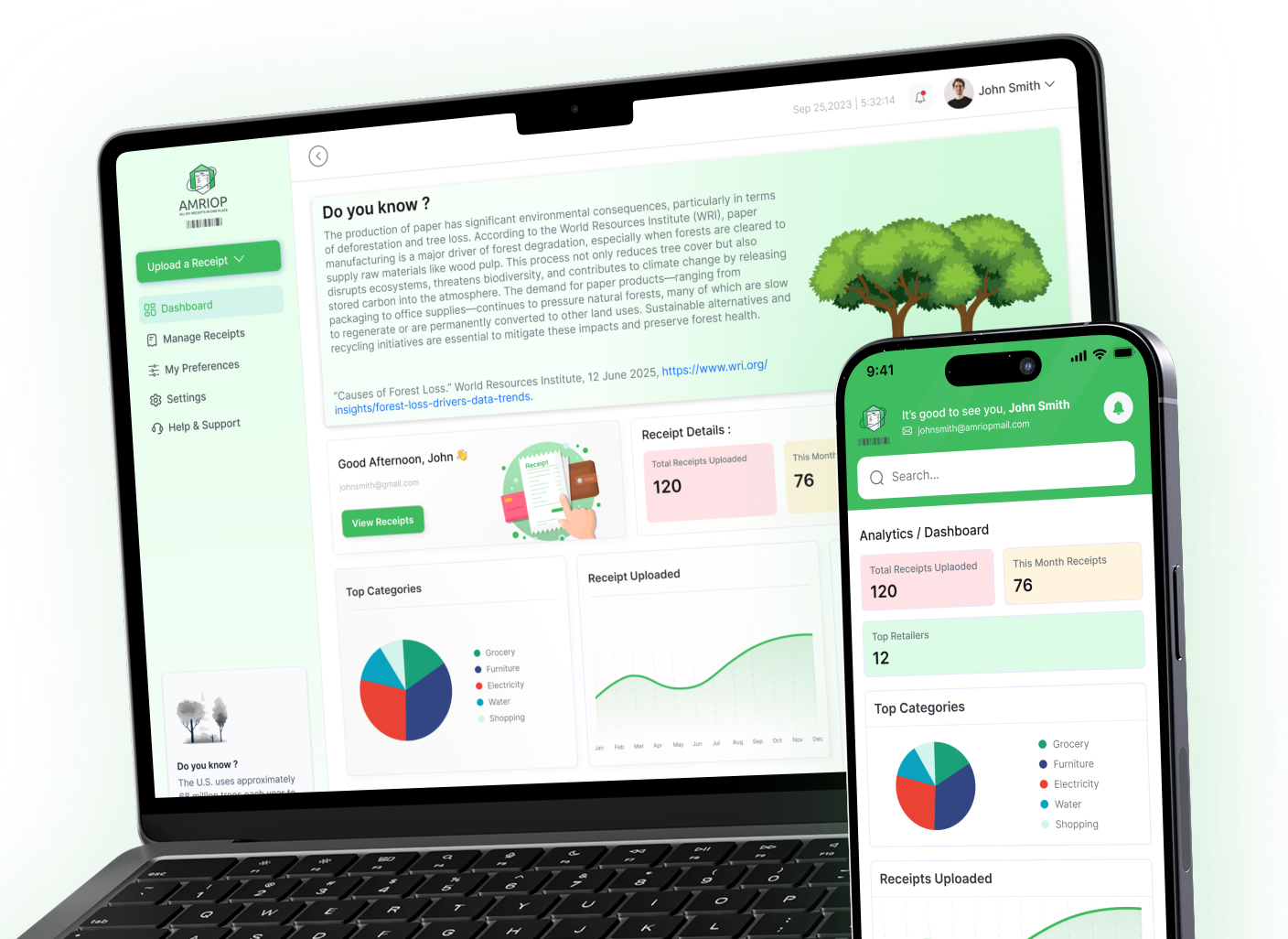
If you're looking for a receipt management platform that offers solutions to receipt clutter, amriop is a great solution.
Here's what makes it different:
- Centralized Digital Receipt Storage — All your paper and digital receipts in one searchable, cloud-based platform
- Paperless-First Approach — As a digital receipt company and paperless receipt startup, Amriop is committed to reducing paper waste while making your life easier
- Secure Cloud Storage — Bank-grade encryption keeps your financial data safe
See how it works → Amriop Features
Learn more → How Amriop Works
4 Pro Tips to Keep Your Receipt System Running Smoothly
Once your system is in place, these tips will keep it humming:
1. Snap It Immediately
Don't pocket the receipt and tell yourself you'll scan it later. Later is where receipts go to die. Scan it at the register, at the restaurant, or the second you sit down at your desk.
2. Use One System for Everything
The moment you start splitting receipts between two apps, a spreadsheet, and an email folder, you've lost. Pick one receipt organizer and commit to it.
3. Go Paperless Wherever Possible
Ask vendors for paperless receipts. Choose email receipts at checkout. The fewer paper receipts you create, the less you have to digitize.
4. Review Quarterly
Beyond your weekly 15-minute check-in, do a deeper quarterly review. Look at spending trends, audit your categories, and identify areas where you can cut costs.
Digital vs. Paper: Why Small Businesses Should Go Paperless
Still on the fence about making the switch? Here's a side-by-side comparison:
| Factor | 📄 Paper Receipts | 📱 Digital Receipts |
| Durability | Fades in 6–12 months | Lasts forever in the cloud |
| Storage Space | Filing cabinets, boxes, drawers | Zero physical space needed |
| Searchability | Manual — flip through stacks | Instant — search by any field |
| Sharing | Photocopy or hand-deliver | One-click share or export |
| Environmental Impact | ~3 million trees/year for US receipts alone | Near-zero environmental footprint |
| Cost | Paper, ink, storage, time | Minimal software subscription |
| Backup | No backup — if it's gone, it's gone | Automatic cloud backup |
| Accuracy | Prone to fading, smudging | Pixel-perfect, OCR-verified |
The verdict is clear: digital receipts are more reliable, more accessible, more secure, and more sustainable.
Going paperless isn't just a tech upgrade — it's a business decision that saves time, reduces costs, and helps the environment. As a business owner, that's a triple win.
Frequently Asked Questions
What is the best way to manage receipts for a small business?
One of the best in the market is Amriop, which is designed for small businesses. Amriop allows users to scan paper receipts, automatically capture email receipts, classify them by business expense categories, and store everything in the cloud. You no longer have to do data entry, your receipts won't get lost, and you'll have access to your receipts at a moment's notice.
How do I organize receipts if I have both paper and digital?
Digital paper receipts, when you use a receipt scanning app with OCR technology, should be your top priority. You must scan the paper receipt immediately because the scanning app will utilize OCR to convert the paper receipt into a digital format. Once scanned, it's important to integrate that receipt into your receiver organizer app so that documents get stored electronically with your email and online receipts.
How often should I organize my business receipts?
The three-tier system is an excellent framework for managing receipts.
1. Daily. Every time you get a new paper receipt, scan it into the system.
2. Weekly. Set a timer for 15 minutes every week in which you go through and classify new receipts.
3. Quarterly. Every three months, go to a deeper level and review the audit categories, match statements, and look for any spending trends.
Can I use my phone to manage business receipts?
Ballpark figure: 90% of receipt-management apps likely operate a mobile-first design. You will use your phone's camera to scan receipts. Once you do, the app can automatically extract the merchant's name, date, amount, and line items. On-the-go receipt scanning has never been faster.
What categories should I use for business receipts?
Some categories you can choose from include Office Supplies, Software & Subscriptions, Meals & Entertainment, Travel & Transportation, Marketing & Advertising, Equipment & Maintenance, Rent & Utilities, Professional Services, Inventory & Supplies, and Training & Education. Depending on the receipt tracker you use, you may also be able to create categories that are best suited for your business.
Related Blogs
View all the related blogs from here
Managing Receipts for Warranty Claims and Returns
Missing a receipt can cost you a warranty or return. Here's how to organize and store receipts digitally so you're always covered when it matters most.
 Uploaded on 30 Apr 2026
How to Track Your Expenses Using Digital Receipts (Simple and...
Learn how to track expenses using digital receipts, organize your spending, and gain better financial clarity with a simple, practical approach.
Uploaded on 17 Apr 2026
Best Receipt Organizer Software in 2026 (Features, Benefits, and What...
Explore the best receipt organizer software in 2026, key features to look for, and how to choose the right tool for managing receipts efficiently.
Uploaded on 31 Mar 2026
Start Your Paperless Journey
At Amriop, we’re more than an invoice management software, we’re building a smarter, more sustainable way to handle digital receipts. Whether you want to manage eReceipts more efficiently, adopt electronic receipts to reduce waste, or use secure digital receipt storage, Amriop offers a receipt organizer and receipt management system designed for everyone.
Go Paperless Now